
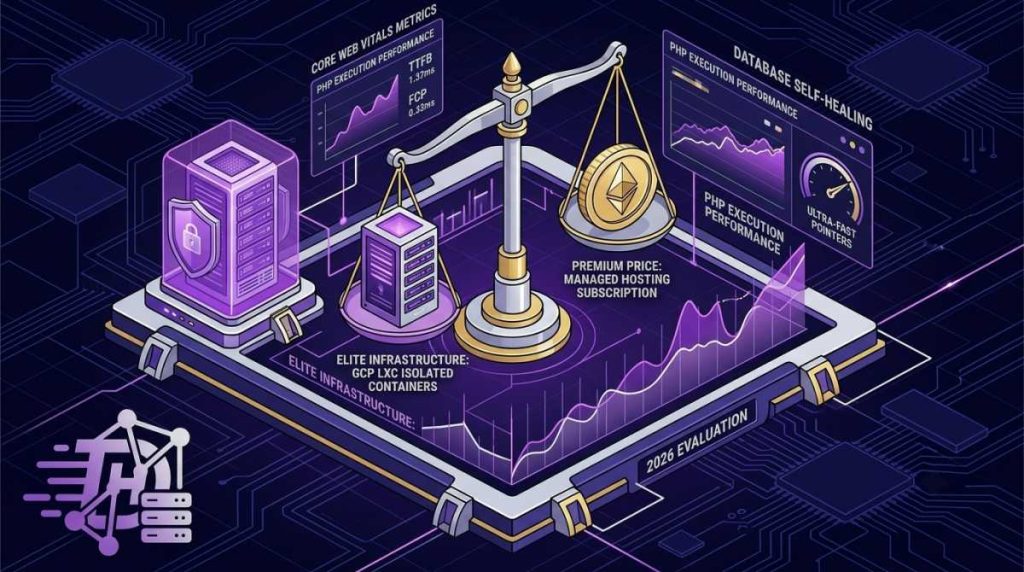
When it comes to managed WordPress hosting, one name has historically dominated the premium tier conversation: Kinsta. Known for its robust architecture and developer-friendly ecosystem, it has long been a go-to platform for businesses scaling their web presence. However, premium hosting comes with a premium price tag, making solo founders and indie builders frequently pause and ask: Is it truly worth the cost in 2026?
As web platforms grow increasingly dynamic and Core Web Vitals remain a massive search engine ranking factor, your hosting choice directly dictates your bottom line. Cheap shared options can throttle execution speeds, while complex unmanaged cloud VPS environments eat up your valuable engineering time.
In this comprehensive review, we dive deep into Kinsta’s current architecture, speed benchmarks, support quality, and feature sets to see if their pricing matches the performance value delivered to developers this year.
Kinsta Core Specifications and Pricing Breakdown
To accurately gauge value, we must first analyze what Kinsta offers under the hood across their introductory and professional tiers compared to industry baselines:
| Feature Element | Kinsta Entry Tier | Kinsta Pro/Business Tiers | Official Platform Link |
|---|---|---|---|
| Underlying Infrastructure | Google Cloud Platform (Isolated LXC Containers) | Google Cloud Platform (Premium Tier Global Network) | Google Cloud |
| Caching Engine | Server-level Nginx edge caching with Redis add-ons | Integrated Edge Caching (Enterprise Cloudflare integration) | Kinsta Features |
| PHP & Database | PHP 8.x+ adaptive engines with optimization tools | Automated daily MySQL database self-healing checks | Kinsta Core |
| Developer Tooling | MyKinsta Dashboard, Staging, WP-CLI, SSH access | Advanced staging, cloning, and application performance monitoring (APM) | MyKinsta Portal |
1. The Architecture Advantage: Isolated Containers
The primary technical reason behind Kinsta’s elite speed performance is its departure from traditional multi-tenant server frameworks. Kinsta runs every single website inside its own isolated Linux container (LXC) built straight onto the Google Cloud Platform infrastructure.
- No Resource Stealing: Your site’s allocated CPU, memory, and database configurations are 100% private. A traffic spike on an entirely unrelated website hosted by another customer will never degrade your server response time.
- Compute-Optimized VMs: Kinsta systematically deploys its clusters on top of Google Cloud’s highest-tier infrastructure machines. This ensures your PHP execution pipelines and complex database queries finish rendering in milliseconds.
2. The Custom MyKinsta Dashboard Experience
For independent developers and web masters, bypassing outdated control panels like cPanel is a breath of fresh air. The proprietary MyKinsta administrative dashboard is built specifically for streamlined application oversight.
From a single, fast graphical user interface, you can instantly clear object caches, force modern HTTPS routing protocols, read real-time error logs, profile script performance bottlenecks with the built-in APM utility, and handle safe git deployments smoothly.
System Architecture Insight: While raw cloud environments like a standalone VPS can deliver similar hardware speeds if configured perfectly, you are solely responsible for server hardening, security patches, network firewalls, and manual optimization maintenance. Kinsta turns server management into a zero-overhead utility.
Step-by-Step Guide to Auditing Kinsta for Your Tech Stack
If you are planning to migrate an established content platform or launch a brand-new tech asset, follow this systematic framework to judge if Kinsta fits your operational budget:
-
1Calculate Your Actual Dynamic Resource NeedsReview your current traffic patterns. If your site processes heavy dynamic traffic—such as member portals or complex checkout lines—Kinsta’s isolated processing container design will immediately prevent critical database drops.
-
2Measure Developer Overhead vs. Subscription CostsWeigh the subscription cost against engineering hours. If an unmanaged server crashes, how many billing hours do you spend troubleshooting configuration files? If the answer is more than an hour a month, managed architecture pays for itself.
-
3Deploy a Free Migration Sandbox TestUtilize Kinsta’s built-in, complimentary white-glove migration services to port a clone of your heavy staging database over to their platform. Run a speed test on the non-indexed URL to check real-world TTFB gains.
-
4Audit Core Web Vitals ComplianceMonitor your mobile performance scores after routing through their integrated Cloudflare network edge cache lines. Check your Largest Contentful Paint (LCP) values to ensure swift rendering over cellular networks.
Conclusion: The Final Verdict
Kinsta is not a discount provider, nor does it try to be. If you are launching simple, static landing pages with minimal user interaction, the premium pricing tier may be overkill for your current budget. However, for mission-critical web applications, high-traffic affiliate portals, and production sites where every millisecond of downtime translates to lost revenue, Kinsta’s robust infrastructure remains an incredibly smart investment.