
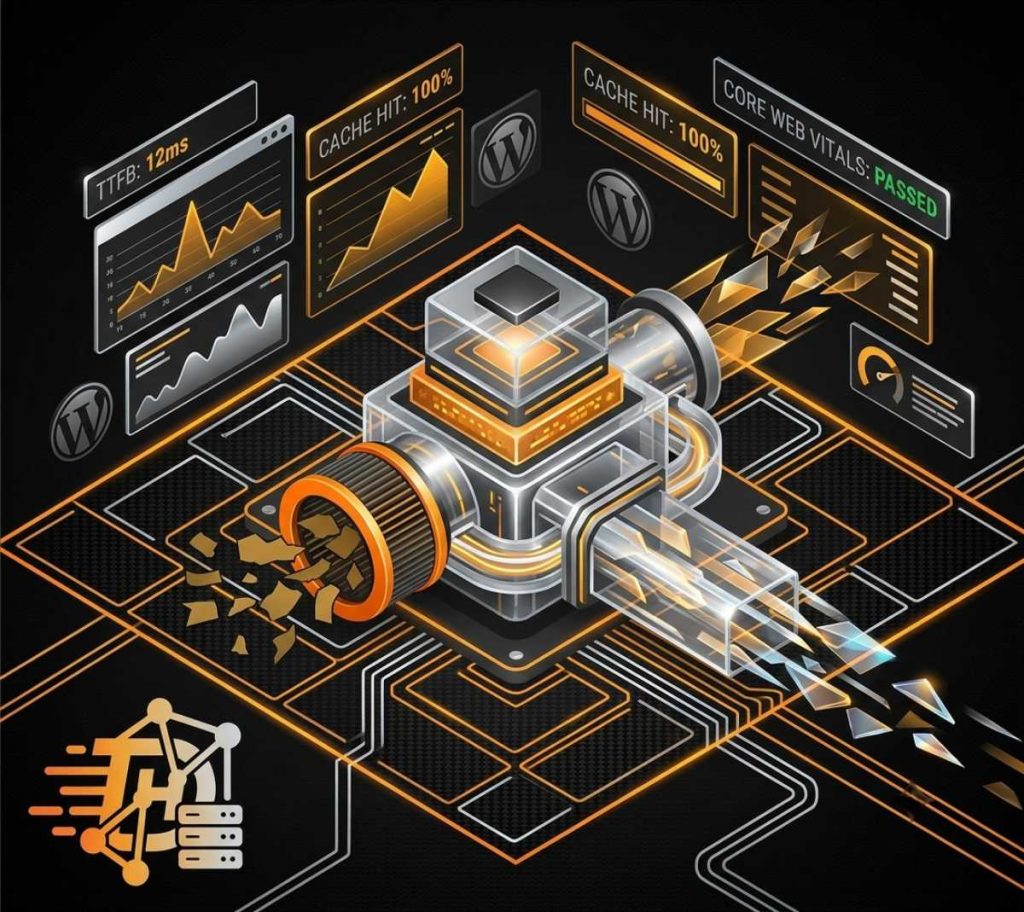
In the modern web ecosystem, page speed is no longer just a luxury—it is a critical ranking metric and the bedrock of user retention. With search engine crawler systems placing an absolute premium on Core Web Vitals, a latency delay of even half a second can severely tank your conversion rates and lower your topical visibility. If your database is forced to build every single page load from scratch dynamically, your server will eventually buckle under strain.
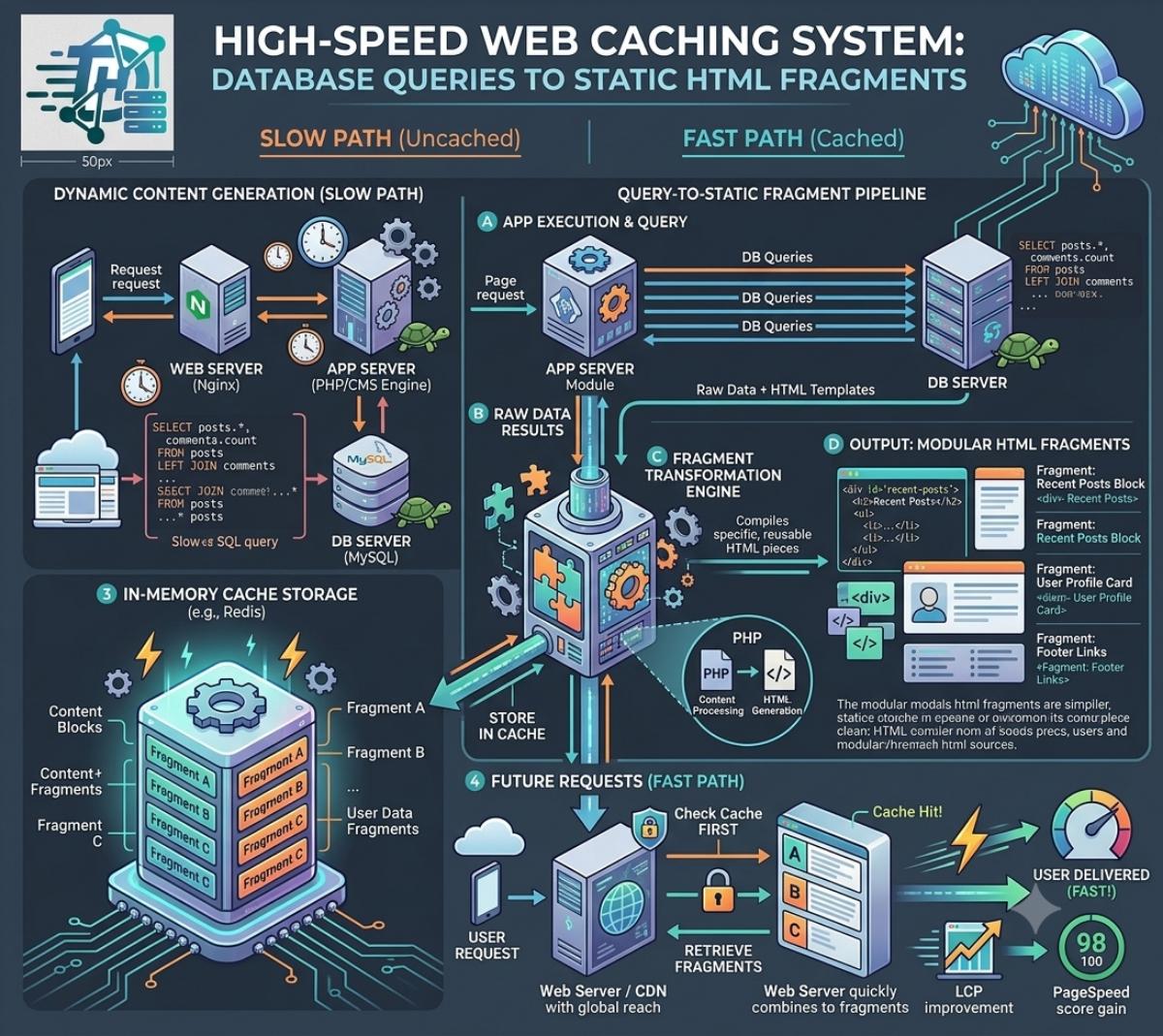
Caching plugins resolve this issue by converting complex, asset-heavy PHP operations into static, lightweight HTML files that render instantly on client browsers. However, the ecosystem has moved far beyond simple page caching; today’s top tools manage advanced script delaying, CSS tree shaking, and object caching protocols natively.
To help you maximize performance on your platform architecture, here is our definitive architectural breakdown of the absolute best caching plugins for WordPress available this year.
Top-Tier WordPress Caching Plugins Compared
Choosing the right speed optimizer depends entirely on your underlying hosting infrastructure, budget, and willingness to tune technical configuration switches. Here is how the market leaders match up:
| Plugin Candidate | License Model | Standout Performance Feature | Official Direct Link |
|---|---|---|---|
| WP Rocket | Premium Only | Automatic unused CSS removal and seamless script delaying paths. | WP Rocket |
| LiteSpeed Cache (LSCache) | Free (Server-Dependent) | Unmatched server-level cache tag tracking and built-in image optimization. | LiteSpeed Cache |
| FlyingPress | Premium Only | Next-gen DOM optimization and real-time critical CSS delivery layers. | FlyingPress |
| W3 Total Cache | Free / Freemium | Granular configuration control across multi-CDN backend routing environments. | W3 Total Cache |
1. WP Rocket: The Premium Automation Standard
For site builders who require elite speed optimization without configuration paralysis, WP Rocket remains the premier choice. It automatically runs crucial acceleration mechanisms right at activation, minimizing the troubleshooting risk associated with advanced site optimization.
- Preloading Systems: WP Rocket continuously crawls your site maps to build static page components in the background, ensuring human site visitors always retrieve completely optimized pages.
- Code Streamlining: Features automated assets delaying routines that hold off non-essential JavaScript payloads from executing until user interaction occurs, radically boosting First Input Delay scores.
2. LiteSpeed Cache: The Server-Level Titan
If your technology platform runs on a dedicated web server powered by LiteSpeed technologies, the official LiteSpeed Cache Plugin offers speed performance metrics that application-level engines simply cannot touch. By communicating straight with your server core, it bypasses the PHP layer completely for cached pages.
Its internal caching mechanism leverages micro-purging and database indexing tools to maintain high speeds across heavy commercial spaces, directories, and multi-niche content blocks without exhausting memory configurations.
Engineering Core Warning: Never activate two comprehensive caching plugins simultaneously. Running overlapping code compilation mechanisms, script mini-fiers, or lazy-loading modules will introduce critical JavaScript console script bugs, resulting in blank pages and broken element components.
Step-by-Step Implementation Strategy for Max Speed
Deploying a caching engine incorrectly can cause your dashboard elements to break. Follow this structured roadmap to successfully tune your performance plugin environment:
-
1Benchmark Your Uncached Starting PointBefore turning on any optimization modules, place your live URL into benchmarking utilities like Google PageSpeed Insights. Record your baseline TTFB and DOM asset counts.
-
2Activate Core Page and Object Cache LinesTurn on basic page caching and activate Redis or Memcached object pathways inside your plugin panel. This lightens the memory footprint of recurring database metadata loops.
-
3Layer File Optimization and Script DelayingEnable CSS/JS file combinations or asset optimization toggles. Use script delaying rules to ensure tracking pixels and chat widgets wait for user scrolls before requesting assets.
-
4Verify Content Delivery Network IntegrationsLink your caching plugin setup directly to an external CDN pipeline like Cloudflare. Purge all systems globally to verify that edge node structures distribute your static data layers perfectly.
Which speed optimizer keeps your platform running clean?
Does your tech infrastructure utilize the extreme custom flexibility of W3 Total Cache, the automated power of WP Rocket, or the raw server engine speed of LiteSpeed? Share your performance configuration and speed optimization wins down in the comments below!