
Every developer setting up server infrastructure eventually hits the same fork in the road: pay more and let someone else handle the server, or pay less and own every part of it yourself. Both paths lead to a working VPS — the difference is where the ongoing work and risk actually live.
This comparison breaks down what changes in practice across cost, control, security, and support, so the decision is based on your actual workload rather than a marketing page.
What “Managed” and “Unmanaged” Actually Mean
Both managed and unmanaged VPS plans give you the same underlying resources — CPU, RAM, and disk on a virtualized slice of a physical server. What differs is who is responsible for keeping that server running correctly.
With a managed VPS, the provider handles OS updates, security patching, monitoring, and backups — you get a working environment without needing deep server administration skills. With an unmanaged VPS, you get root access and a blank slate; every layer above the hardware, from the OS to the firewall to the backup schedule, is your responsibility.
Cost: The Sticker Price Isn’t the Real Comparison
Across the market in 2026, a mid-tier fully managed VPS typically runs $30–$60/month, while a comparable unmanaged plan runs $15–$40/month. On paper, unmanaged looks like the clear winner — but that gap only tells part of the story.
| Factor | Managed VPS | Unmanaged VPS |
|---|---|---|
| Typical monthly cost (mid-tier) | $30–$60 | $15–$40 |
| OS updates & patching | Included | Your responsibility |
| Backups & snapshots | Usually included | Self-configured (or add-on tools) |
| Root access | Sometimes limited | Full, unrestricted |
| Support scope | 24/7 infrastructure-level help | Best-effort, hardware/network only |
Once you factor in third-party control panel licenses, dedicated security tooling, and the actual hours spent patching and troubleshooting, the real cost gap between the two options narrows considerably — sometimes disappearing entirely once your own time is priced in.
Control and Customization
This is where unmanaged VPS clearly wins for a specific kind of developer. Managed environments sometimes restrict what software stacks you can run, since the provider needs to guarantee stability across their managed layer. Unmanaged gives you a completely clean box — install whatever runtime, database, or container setup your project needs, with nothing pre-configured to work around.
For teams running custom Node.js/Python/Docker stacks, CI/CD pipelines, or infrastructure that talks to other infrastructure as much as it talks to end users, that unrestricted control is often the deciding factor — not the price.
Security and Support: Who’s on the Hook When Something Breaks
On a managed VPS, the provider’s team is the first line of response to security incidents, and monitoring typically runs continuously in the background. On an unmanaged VPS, you are the first line of response — firewall configuration, intrusion detection, and applying security patches promptly all fall on you.
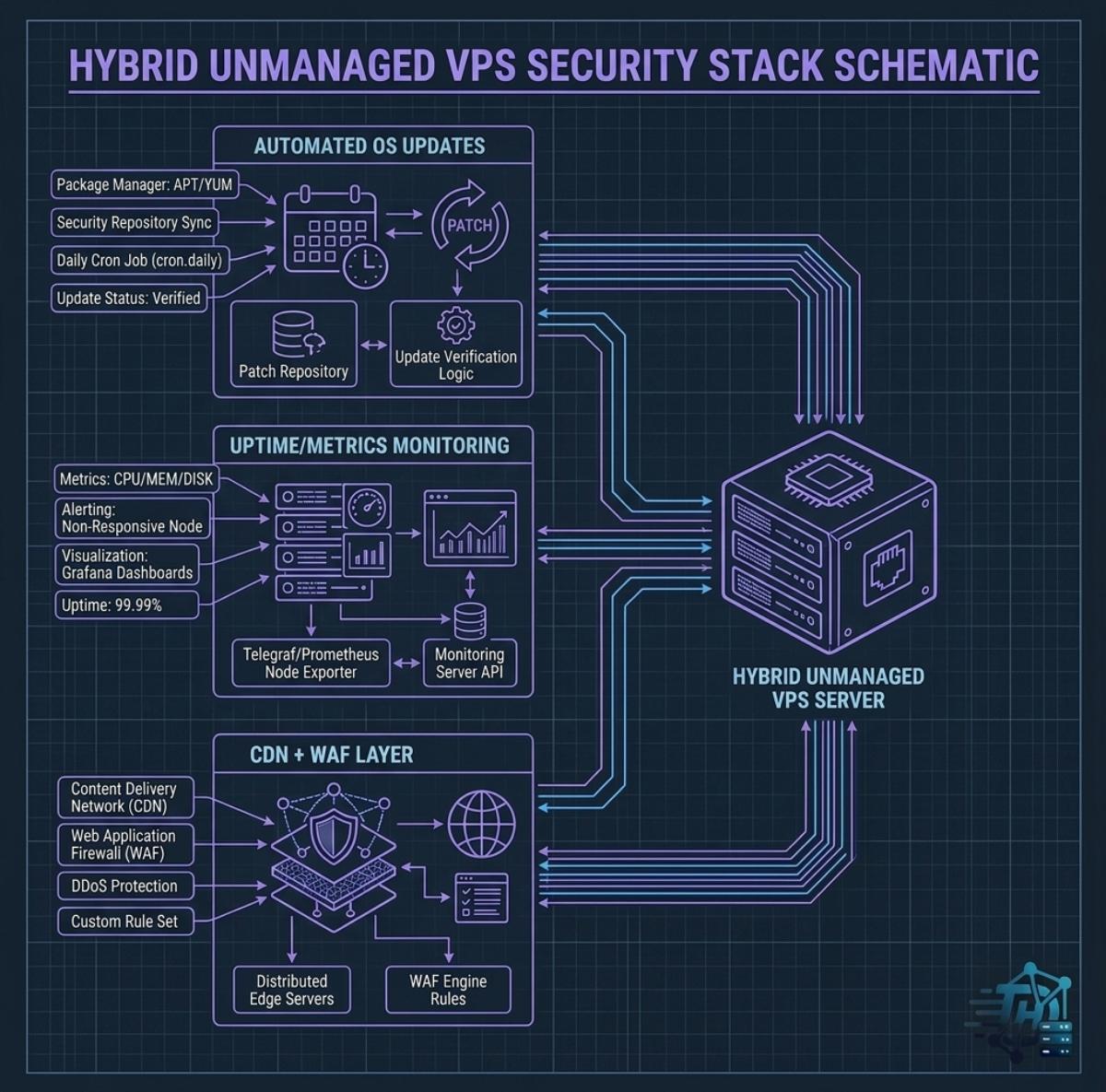
This doesn’t mean unmanaged VPS is inherently insecure. Many developers run unmanaged servers safely by layering in free tooling: automated OS security updates, a free uptime/metrics monitor, and a CDN/WAF layer like Cloudflare’s free tier to absorb basic attack traffic before it reaches the server.
Which Should You Choose as a Developer?
The honest framework comes down to two questions: how comfortable are you at the command line, and what is your time actually worth?
- Choose unmanaged if: you’re comfortable with SSH, Linux administration, and firewall configuration; you’re building custom infrastructure (CI/CD, containers, non-standard stacks); or you’re on a tight budget and the admin work doubles as a learning opportunity.
- Choose managed if: your time is better spent building your product than patching servers; your project can’t tolerate downtime without a dedicated response team; or you want root access without owning full responsibility for the security layer beneath it.
Neither option is universally “better” — the right call depends on who’s going to own the admin work after launch, not just which invoice is smaller.