
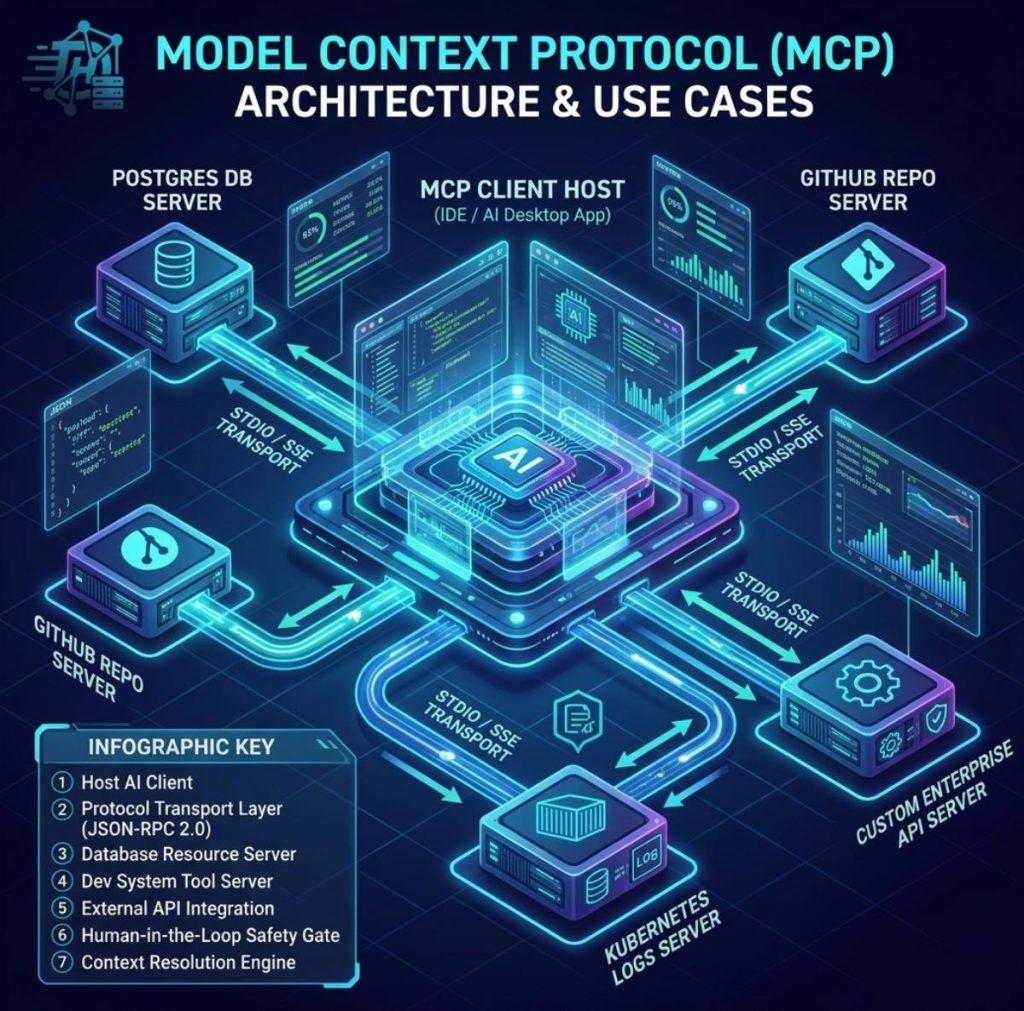
As Large Language Models (LLMs) evolve into autonomous agents, their primary bottleneck has shifted from raw intelligence to context access. LLMs need a standardized way to inspect local databases, query production APIs, read system metrics, and interact with developer tools securely. Enter the Model Context Protocol (MCP)—an open standard introduced by Anthropic designed to seamlessly connect AI models to external data sources and tools.
While the theoretical architecture sounds promising, what does it mean practically for engineers in 2026? This article breaks down MCP servers, how the client-server architecture operates, and what developers can actually build with them today.
What Is Model Context Protocol (MCP)?
At its core, MCP functions like a “USB-C port for AI applications.” Before MCP, connecting an AI application (like Claude Desktop or Cursor) to a custom database required building proprietary integrations, custom function-calling wrappers, and complex authentication flows. If you switched AI clients, you had to rewrite those integrations from scratch.
The Model Context Protocol replaces custom one-off glue code with a unified client-server architecture. An MCP Client (such as an IDE or AI desktop app) maintains a 1:N connection with multiple MCP Servers (lightweight programs exposing resources, prompts, and tools).
The Core Capabilities: What MCP Exposes to LLMs
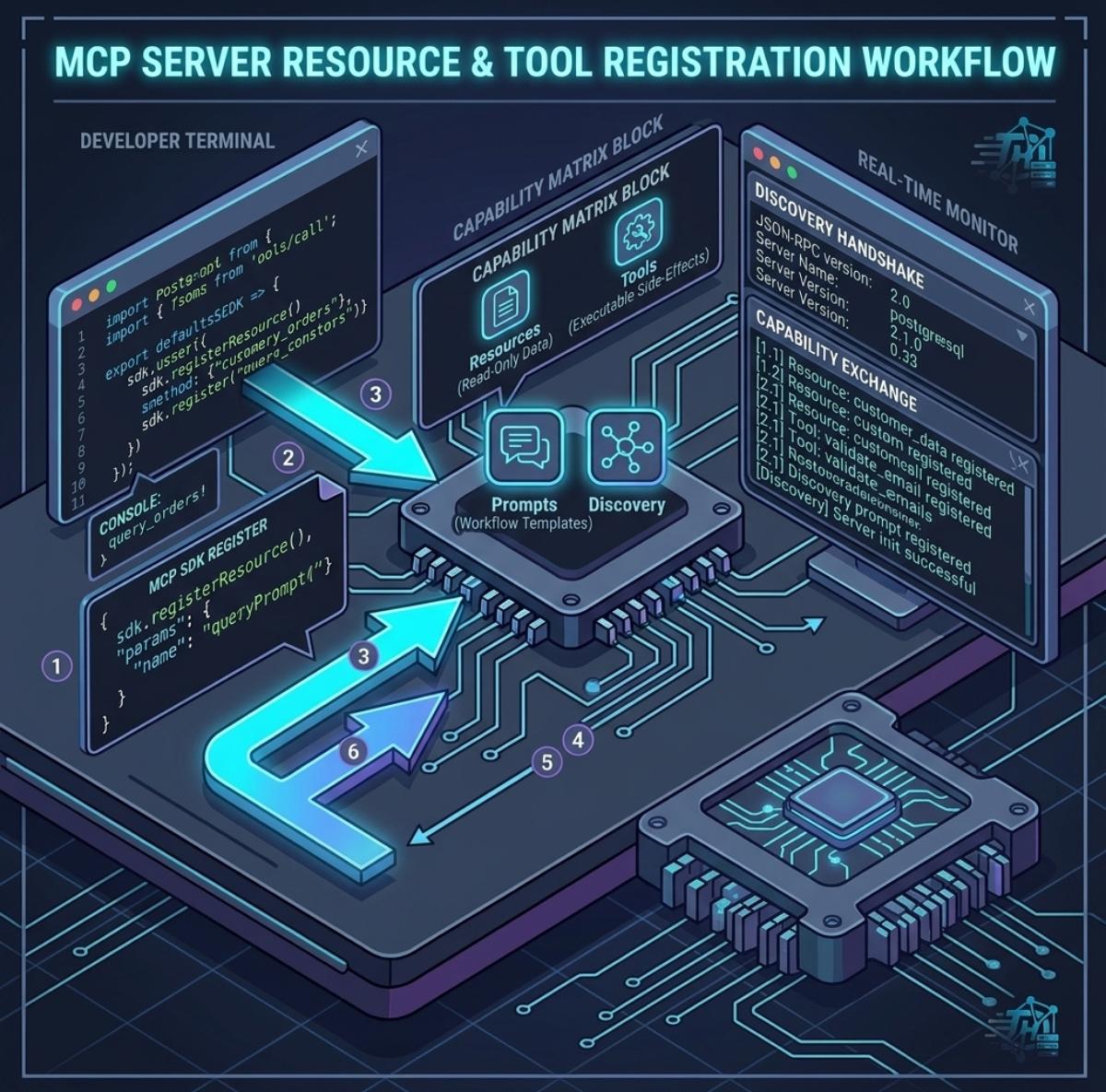
MCP standardizes three primary primitives that an external server can expose to an AI model:
- Resources: File-like data read by the client (e.g., database schemas, log outputs, internal documentation).
- Prompts: Pre-designed prompt templates and workflows provided directly by the server to guide user intent.
- Tools: Executable functions that the LLM can trigger to perform side effects (e.g., executing a SQL query, creating a Jira issue, or triggering a CI/CD build).
Key Architectural Insight: MCP runs locally or over secure transports (stdio or SSE HTTP), ensuring that sensitive data and execution permissions stay strictly contained within user-controlled boundaries rather than exposed globally across third-party LLM vendors.
Real-World Use Cases: What Developers Can Actually Do With MCP
Instead of relying on abstract explanations, here are the practical workflows developers are building with custom and open-source MCP servers today.
| Use Case Category | Target MCP Server | What the Developer Achieves | Key Advantage |
|---|---|---|---|
| Database Debugging | PostgreSQL / SQLite Server | Ask an AI agent to inspect live schemas, run safe diagnostic SELECT queries, and summarize data anomalies. | No need to manually export CSVs or paste schemas into LLM chat windows. |
| DevOps & Observability | Sentry / Datadog / Kubernetes Server | Diagnose production stack traces by letting the AI inspect active pod logs and system metrics directly. | Shortens Incident Response (MTTR) by analyzing real-time error contexts. |
| Repository Management | GitHub / GitLab MCP Server | Prompt the AI to inspect open PRs, check test suite statuses, and create bug reports with formatted contextual data. | Automates repo maintenance directly inside your local developer workspace. |
| Internal Tooling Integration | Custom Enterprise API Server | Connect proprietary internal APIs (e.g., inventory systems, billing) without publishing custom OpenAI actions. | Keeps proprietary business logic safe behind local enterprise authentication layers. |
How an MCP Query Works Under the Hood
Understanding the runtime data flow is critical when building secure production workflows with Model Context Protocol.
-
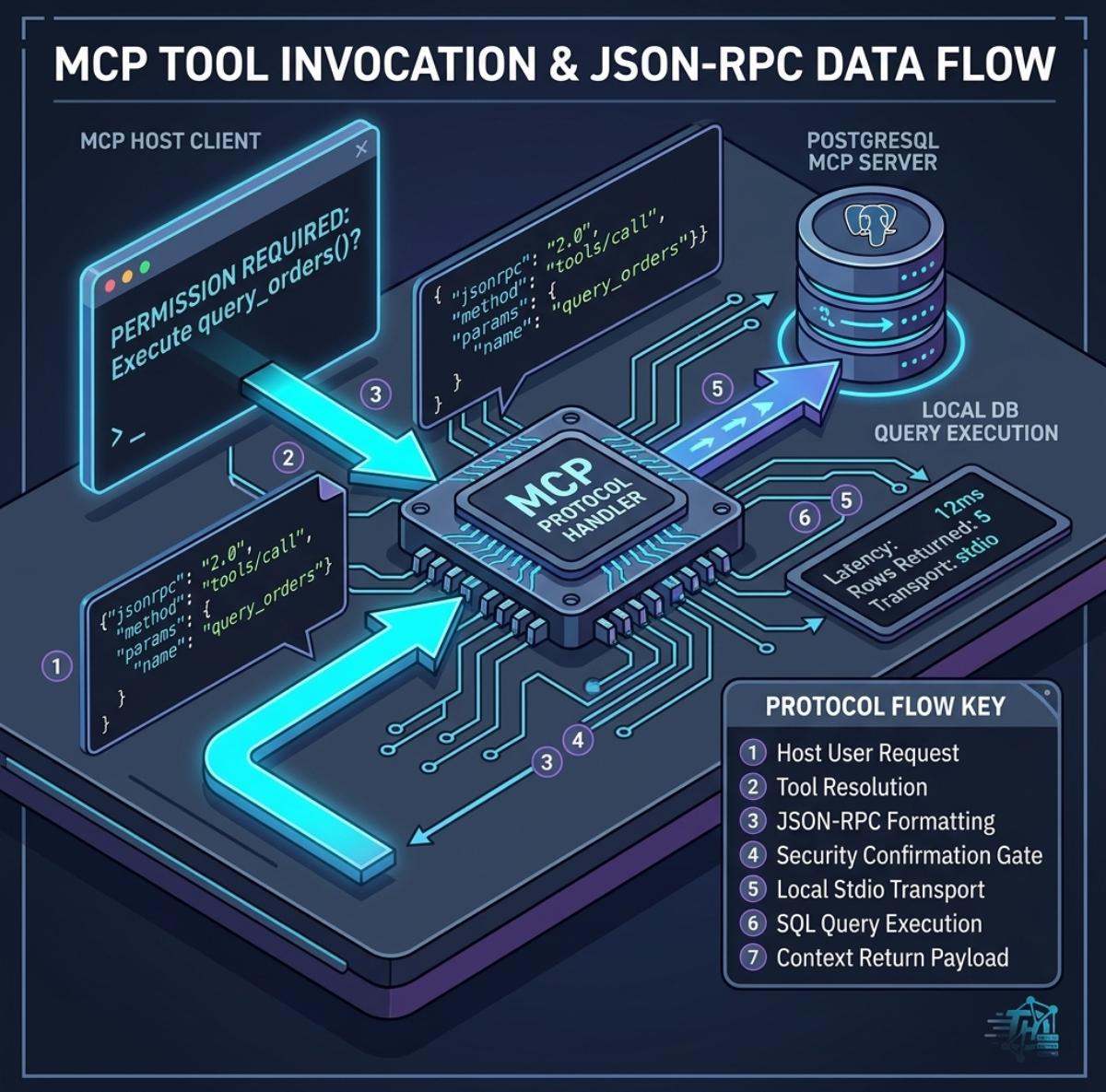
1Initialization & Capability DiscoveryUpon connection, the MCP Client sends an initialization request to the MCP Server over stdio or SSE. The server responds with a list of available tools, resource templates, and prompt specifications.
-
2Context Selection & Tool Call RequestThe developer prompts the AI client (e.g., “Find the top 5 failed orders from today”). The AI client selects the corresponding tool exposed by the SQLite MCP Server and formats a JSON-RPC payload.
-
3Execution & Human-in-the-Loop SafeguardThe MCP Client prompts the developer for explicit approval before running the tool. Once approved, the local MCP server executes the query and returns the structured response back to the LLM.
Getting Started: Building Your First Custom MCP Server
Developing a custom MCP server is straightforward thanks to official SDKs in TypeScript and Python. Using the Official TypeScript SDK, a basic server exposing a custom database tool can be constructed in under 50 lines of code.
As the AI agent ecosystem matures across IDEs, terminal platforms, and desktop tools, mastering Model Context Protocol gives software engineers a immense advantage in building context-aware, highly autonomous developer workflows.